LOCAL PROCESSING
The selected image stays in the browser; conversion and export happen on the device.
IMAGE → GLYPHS
Convert JPG, PNG and WebP images into copy-ready ASCII art in your browser. Adjust density, invert luminance and export TXT or PNG.
USE THE FREE TOOL ↓██████ ██ ██ ██ ████ ██████ ██ ████ ████ ██ ██ ██ ██ ██ ██ ██ ██ ██████ ██ ██ ████ ██ ██ ██ ██ ██ ██ ██ ██ ██████ ██ ██ ██ ██ ████ ██████
No signup. Local processing.
██  ██  ████    ██        ██      ██    ████
██  ██  ██  ██  ██      ██  ██  ██  ██  ██  ██
██  ██  ████    ██      ██  ██  ██████  ██  ██
██  ██  ██      ██      ██  ██  ██  ██  ██  ██
██████  ██      ██████    ██    ██  ██  ████
Turn any photo, portrait, logo or illustration into character art without uploading the original file. The converter samples brightness locally and maps every region to your chosen glyph set.
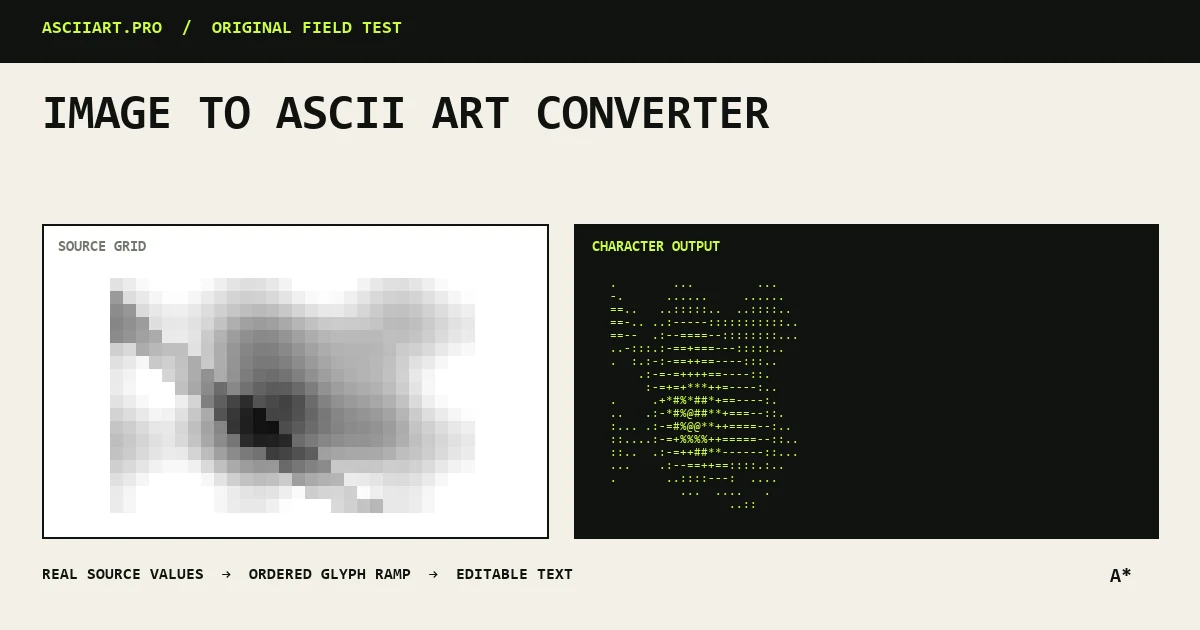
Specific capabilities, not a generic upload box.
The selected image stays in the browser; conversion and export happen on the device.
Density, gamma, contrast, dithering and glyph order can be adjusted independently.
Copy plain text or download TXT, opaque PNG and transparent PNG output.
From quick idea to finished asset.
Use 30–50 columns or export PNG when the platform wraps text.
Use 50–80 columns inside a fenced text block.
Use 80–110 columns and export PNG for predictable layout.
No. Conversion happens locally in your browser and the original image is never sent to ASCIIART.PRO.
The current converter supports JPG, PNG and WebP files supported by your browser.
Text characters are taller than they are wide. The converter compensates automatically, but very unusual fonts may still change the perceived proportions.